In this lesson we are gonna learn how to create ENV.
Step 1: Get Moralis API Key
We need to sign up and get an API key.
- To do that let’s go to here and create a free account.
- Once we login to our new account, it will ask us to create a project (which can be named whatever you want).
- Navigate to your project’s Settings > Secrets, and copy the API key from Web3 API Key - Default.
Step 2: Create a new file called .env.local
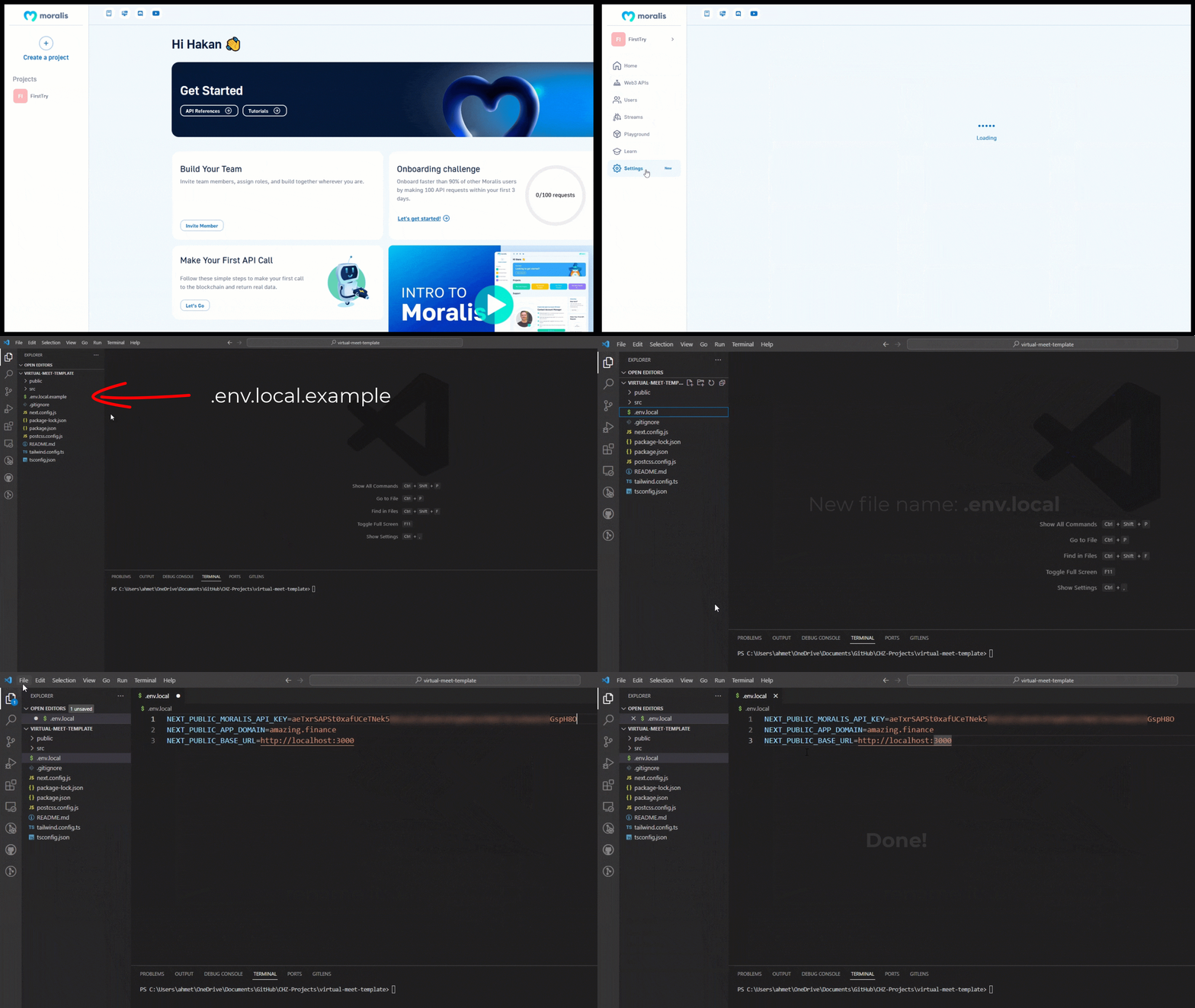
In the provided template (GitHub Link), there is a .env.local.example file, in the root of our application. Next to this .env.local.example file, let's create a new file called .env.local (at the same level as src, not inside src)
Step 3: Fill .env.local
We are going to fill content similar to .env.local.example. We need 3 things to include in our .env.local.
- NEXT_PUBLIC_MORALIS API_KEY: Once you login, Navigate to your project’s Settings > Secrets, and copy the value from Web3 API Key - Default.
- NEXT_PUBLIC_APP_DOMAIN: can get from .env.local.example
- NEXT_PUBLIC_BASE_URL: can get from .env.local.example
Lesson discussion
Swap insights and ask questions about “Learn everything about Chiliz”.
Be the first to start the discussion
Ask a question or share your thoughts about this lesson.